gui_Tech_Setup
Features
Metal layers can be easily configured, and selected Path objects can be quickly converted to the specified Metal layer.
Metal and Via layers can be toggled visible/invisible. A toggle function is provided to show or hide all layers except the currently selected Metal.
DIFF layers can be easily converted to MPP layers.
Standard vias can be easily placed, and the currently selected via can be quickly replaced with a configured via.
BEOL
Layer Groups
POLY and METAL: Layers are added in the following order — Poly, Metal1, Metal2, …, Metal7, Metal8.
CONT and VIA: Layers are added in the following order — Contact, Via1, Via2, …, Via7, Via8.
Key Bindings
<Key>` : Selects the Poly layer.
<Key>1 to <Key>8 : Selects the corresponding configured Metal layer (Metal1 to Metal8).
Shift<Key>` : Changes the currently selected Path to Poly.
Shift<Key>1 to Shift<Key>8 : Changes the currently selected Path to the corresponding configured Metal layer.
Alt<Key>` : Toggles visibility of all layers except the currently selected one (based on Poly).
Alt<Key>1 to Alt<Key>8 : Toggles visibility of the grouped Metal and Via layers for the selected index.
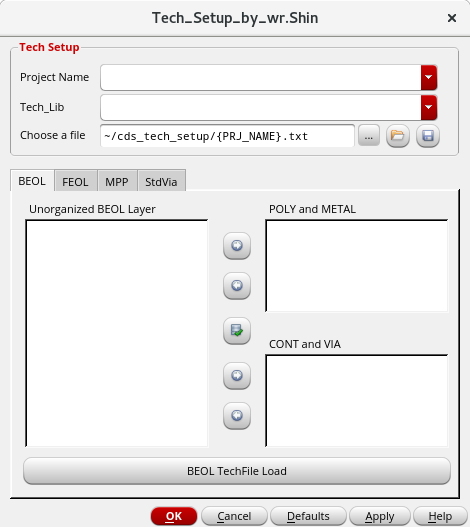
BEOL Configuration
FEOL
Layer Groups
NDIFF-NIMP-NWELL: Layers are added in the following order — NDIFF, NIMP, NWELL.
PDIFF-PIMP-PWELL: Layers are added in the following order — PDIFF, PIMP, PWELL.
Configuration
Used for configuring the MPP layer.
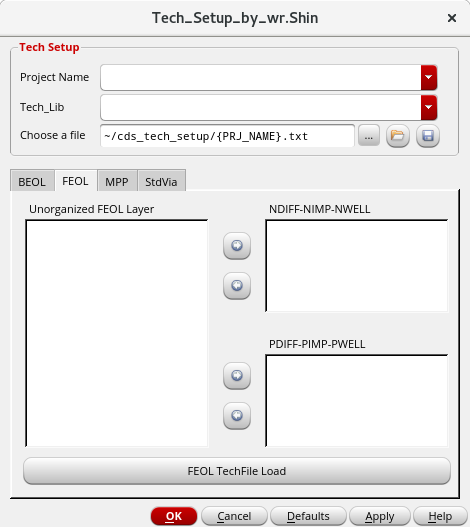
FEOL Configuration
MPP
Configuration (NTAP)
NDIFF-CONT : Sets the size between NDIFF and CONT.
NDIFF-NIMP : Sets the size between NDIFF and NIMP.
NDIFF-NWELL : Sets the size between NDIFF and NWELL.
Configuration (PTAP)
PDIFF-CONT : Sets the size between PDIFF and CONT.
PDIFF-PIMP : Sets the size between PDIFF and PIMP.
PDIFF-PWELL : Sets the size between PDIFF and PWELL.
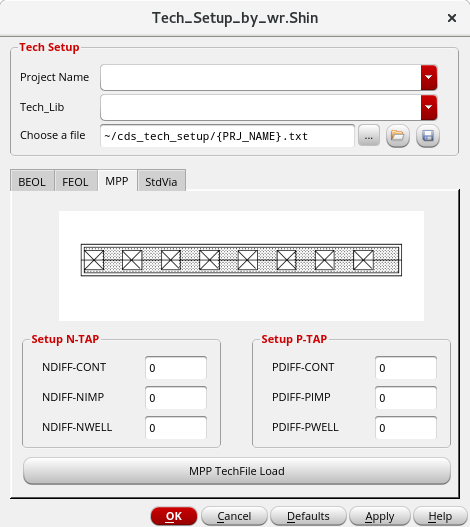
MPP Configuration
StdVia
Layer Groups
StdVia: Techfile ViaDefs are added in the following order — V1 (M1–M2), V2 (M2–M3), …, V7 (M7–M8), V8 (M8–M9).
Key Bindings
Ctrl<Key>` : Creates an auto via.
Ctrl<Key>1 to Ctrl<Key>8 : Creates or replaces the selected via with the configured techfile StdVia.
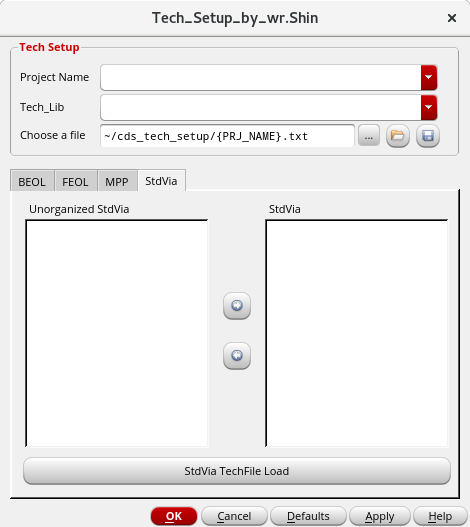
StdVia Configuration